
Catalogue 03 · 3D capture · macOS 15+
StepIn
One to eight photos of one place. A room you can stand inside.
- First scene free
- US$3.99 per scene after
- 1–8 photos per place
- macOS 15+ · Apple silicon
- Version 0.4.6
- 1.2 MB DMG
SHA-256 ec1976d3…c84814 · signed with a Developer ID certificate and notarised by Apple · checksums
The joke and the work
Two sentences, in the order they arrived.
The joke
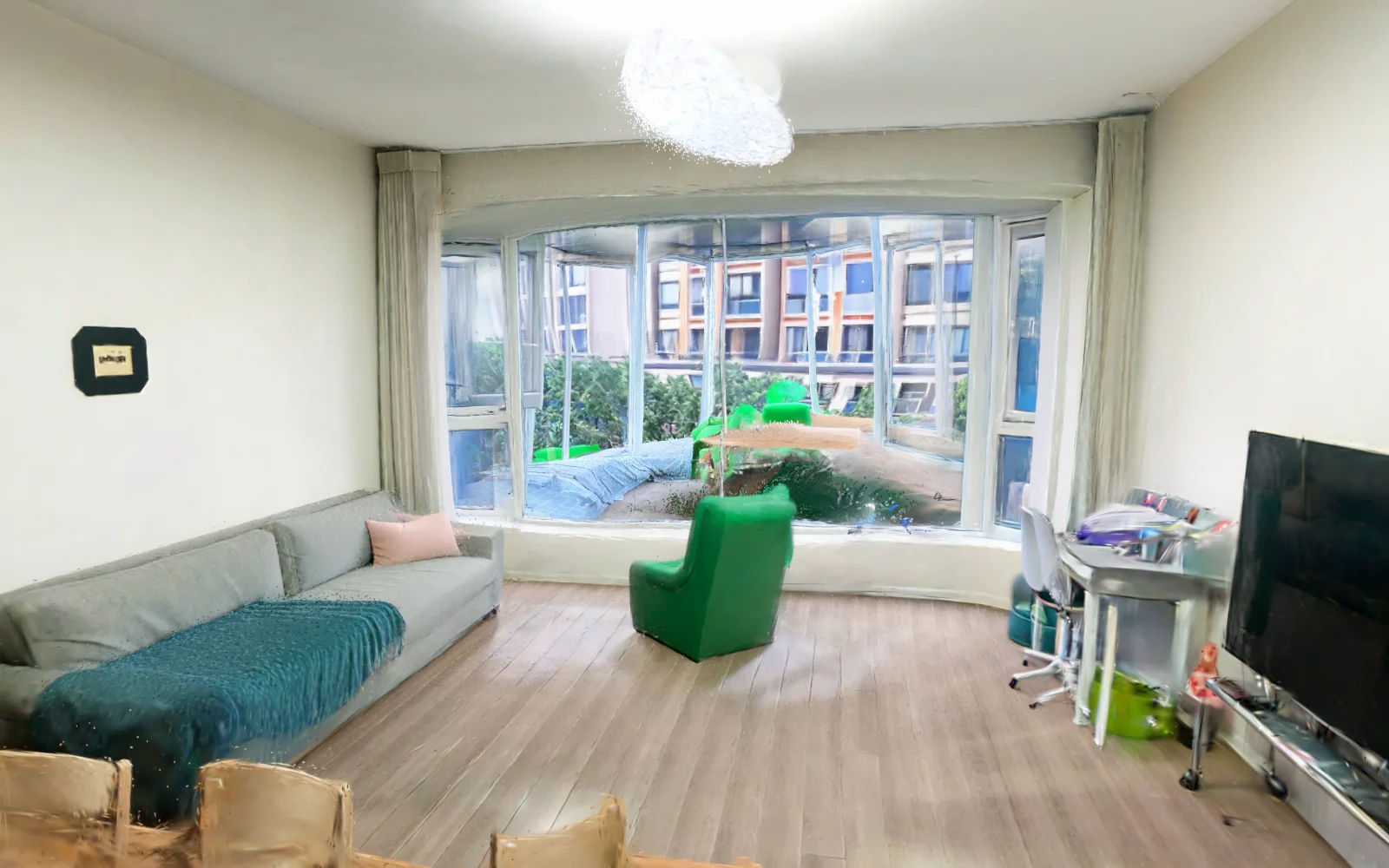
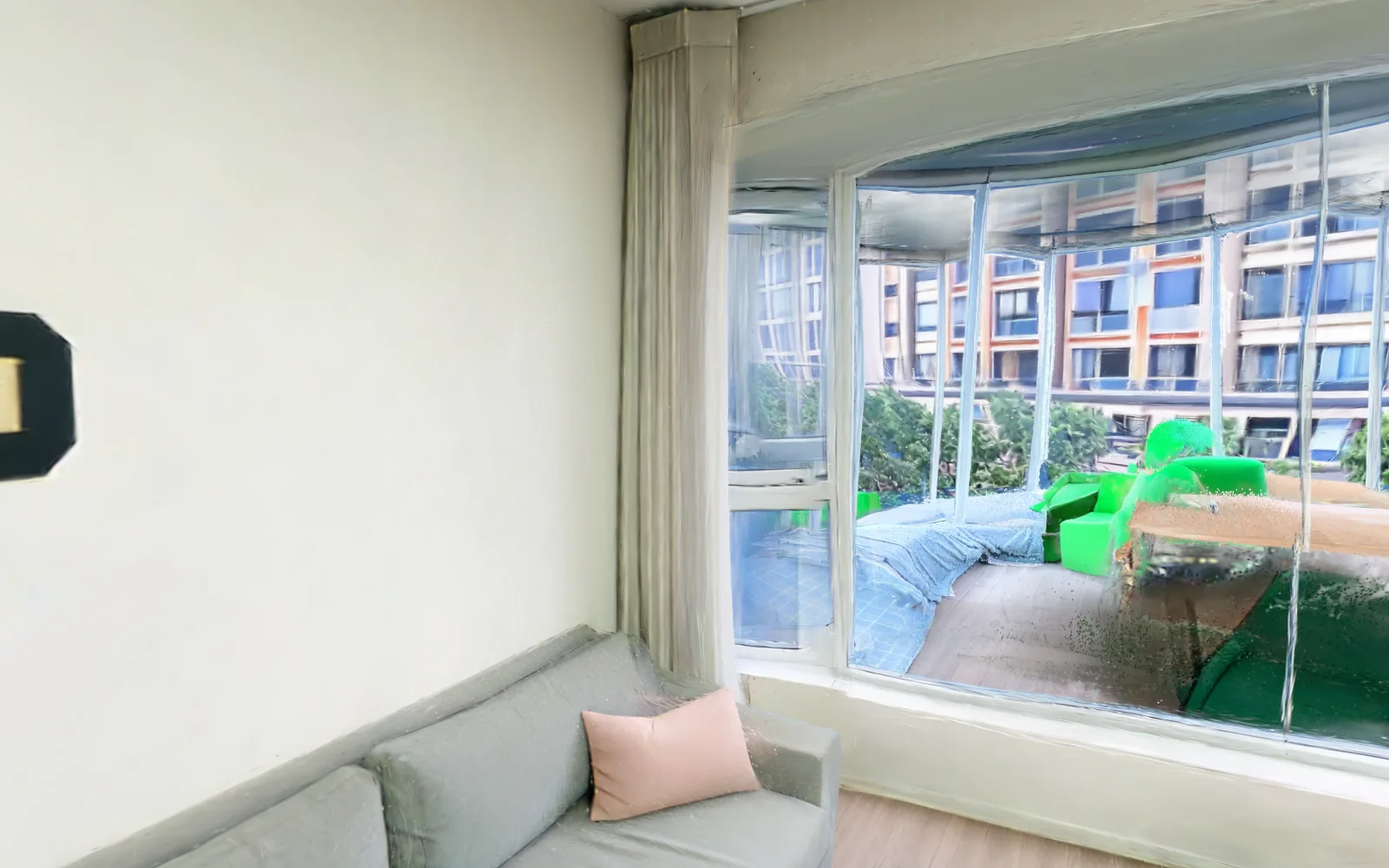
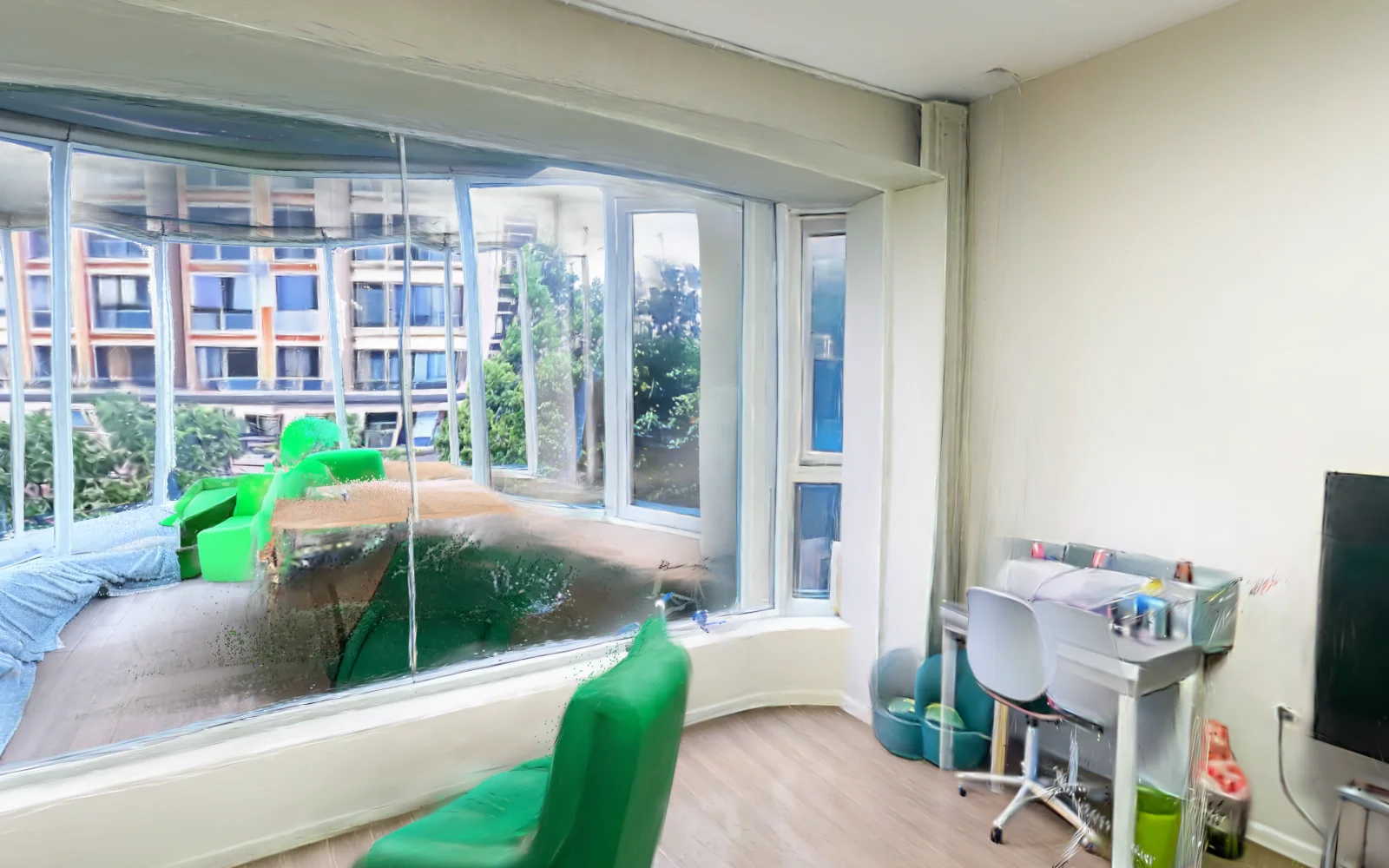
Take eight badly framed phone photos of your kitchen, then walk into the kitchen. Not a panorama, not a slideshow — a place with a floor and a corner, where turning around is a thing you can do.
The work
Reconstruction is a cloud model's job and it is good at it now. Everything around it is not: which photos belong together, what happens when the upload dies on hotel wifi, where the result is stored, and how to get back to it in six months. That envelope is the app.
What actually happens to the photos
No rig, no calibration target, no measured camera path.
- STEP 01Photograph one placeOne to eight frames, standing in one spot and turning. Overlap the edges; plain walls and mirrors do not reconstruct.
- STEP 02Send them upThe app uploads the set as one task. A cloud model — World Labs Marble — solves the camera layout and returns a splat scene.
- STEP 03Walk inThe scene lands in a local library and renders with Metal. Orbit, pan, or step forward; nothing streams from a server.
The queue is the part that earns its keep. A task holds its photos, its status and its description, survives a relaunch, and can be retried without re-picking files. One task is one scene; a scene is one thing you bought.
The honest limits
Better to read this before spending a scene than after.
Works
- Corners, doorways, furniture and objects — the things that give a model something to hold on to.
- Three to eight frames from where a person would stand, turned on the spot.
- One object on a table, if you take it slowly and fill the frame.
- Looking around a captured spot, and short steps forward and back.
Does not
- Blank walls and ceilings: with no features to match, they come back as a soft blob.
- Mirrors, and windows at night — reflections read as geometry.
- People who move between frames.
- Gaps you never photographed: the model fills them, and it fills them with invention.
- Clean edges and readable small text. It is a splat, not a mesh, and it is not editable geometry.
One free scene, then packs
A scene costs real money to generate, so it is the unit that gets sold. The app itself is free.
| Pack | What you get | Price |
|---|---|---|
| First scene | One full-quality scene on a fresh install, so the quality question is answered before any payment. Same model, same resolution as a bought scene — not a watermarked preview. | US$0 |
| 1 scene | A single scene, kept forever. | US$3.99 |
| 5 scenes | Five scenes at US$3.60 each — the pack most people buy second. | US$17.99 |
| 12 scenes | Twelve scenes at US$3.33 each: a flat, a shop, or a week of arguing about furniture. | US$39.99 |
| 30 scenes | Thirty scenes at US$3.00 each — a portfolio, a survey, or a bad habit. | US$89.99 |
Scenes are one-time purchases, not a subscription, and they do not expire. A scene is only spent when a generation succeeds: if the model fails, the scene goes back. A purchase always attaches to a licence key — the app mints one and puts it in the Keychain, and if you buy from this page instead, the key is shown the moment the payment clears so you can paste it in. Balances survive a reinstall because the key is the account.
Buy scenes
Checkout runs at Paddle, who take the card and remit the sales tax, then the scenes land on a licence key. From inside the app the key is already yours. From here you get a key to paste into Settings → Quotas. Purchases carry a 14-day money-back guarantee, and a scene that fails to generate is refunded automatically.
Or bring your own key
If you already have a World Labs API key, paste it in Settings → Account and StepIn will talk to Marble directly. World Labs bills you for the generation and no bought scene is touched — the sidebar says which route paid. A key always wins over a balance; charging a scene while someone else is already billing the same request would be paying twice.
Same app, from a shell
For scripts, batch jobs, and assistants that can run a command.
The binary is the app: with no arguments it opens the window, with a subcommand it prints and exits. Nothing extra to install, and it cannot drift from the app it lives inside.
# one scene from a folder of photos
stepin new ~/Pictures/kitchen/*.jpg --title "Kitchen" --text "north wall, window, sink"

# what is queued, what is done
stepin list --json

# how many scenes are left, and the checkout link for more
stepin quota
stepin buy five --openA cloud model, and nothing else
Reconstruction does not happen on the Mac. That is the one thing worth being clear about.
The photos in a task are uploaded to World Labs, the company behind Marble, and the
reconstruction runs there. If you use your own API key, they travel under your account; if you buy scenes, they
travel under ours. The returned scene file is downloaded and stored in
~/Library/Application Support/StepIn, and from then on it is local.
The app has no analytics, no crash reporting and no account. The licence key lives in the macOS Keychain. There is no server holding your library, which also means no server to recover it from — keep the folder in your own backups.
The boring details
Everything here is checkable with tools macOS already has.
| System | macOS 15 or later · Apple silicon |
|---|---|
| GPU | Metal, used for the viewer; the scene is a Gaussian splat rendered locally |
| Download | DMG, 1.2 MB (1,263,846 bytes) · SHA-256 ec1976d3…c84814 |
| Signature | Apple Developer ID, hardened runtime, notarised and stapled |
| Updates | Manual: download the new DMG and replace the app. No background updater |
| Library | ~/Library/Application Support/StepIn — scenes, staged photos, queue |
| Licence | Key in the Keychain; scenes credited by a Cloudflare Worker after Paddle confirms payment |
| Interface | English |
| Store | Direct only — not on the Mac App Store, no account required |
Install
- STEP 01Open the DMGDouble-click the file you just downloaded. A window with the app and an Applications shortcut appears.
- STEP 02Drag it acrossDrop StepIn into Applications, then eject the disk image. That is the installation.
- STEP 03Open itSigned and notarised, so a double-click is enough. Offline and macOS hesitates? Right-click → Open, once.
What changed
First public build. Updates are manual for now; each release is signed, notarised and checksummed.
-
0.4.6 12 Nov 2026
- First public release: one to eight photos per task, automatic camera layout, no azimuth guessing.
- Reconstruction mode is now actually on. More than four photos used to be rejected by the API — "Non-reconstruction mode allows up to 4 images" — after upload, with the scene already reserved. The flag that selects Auto Layout is set, so eight overlapping frames really do become one room.
- Two ways to pay, one queue: buy scenes, or bring your own World Labs key — a key always wins. Buying works in the app and in the browser.
- The licence key travels in an
Authorizationheader, not in a URL, so it stays out of request logs. - Photos of one task are conformed to a shared aspect ratio so mixed portrait and landscape frames still fit one model.
- Local library with covers and descriptions; the queue survives a relaunch.
- Command line:
new,list,show,edit,rm,quota,buy. - Signed with a Developer ID certificate, notarised by Apple and stapled.